Travel turns one
Travel is one year old. 🎉
A year ago it was just an idea and some designs. Now it’s an app our testers take on real trips: to follow flights, catch trains, find their way around a new city, and let friends know they’ve arrived.
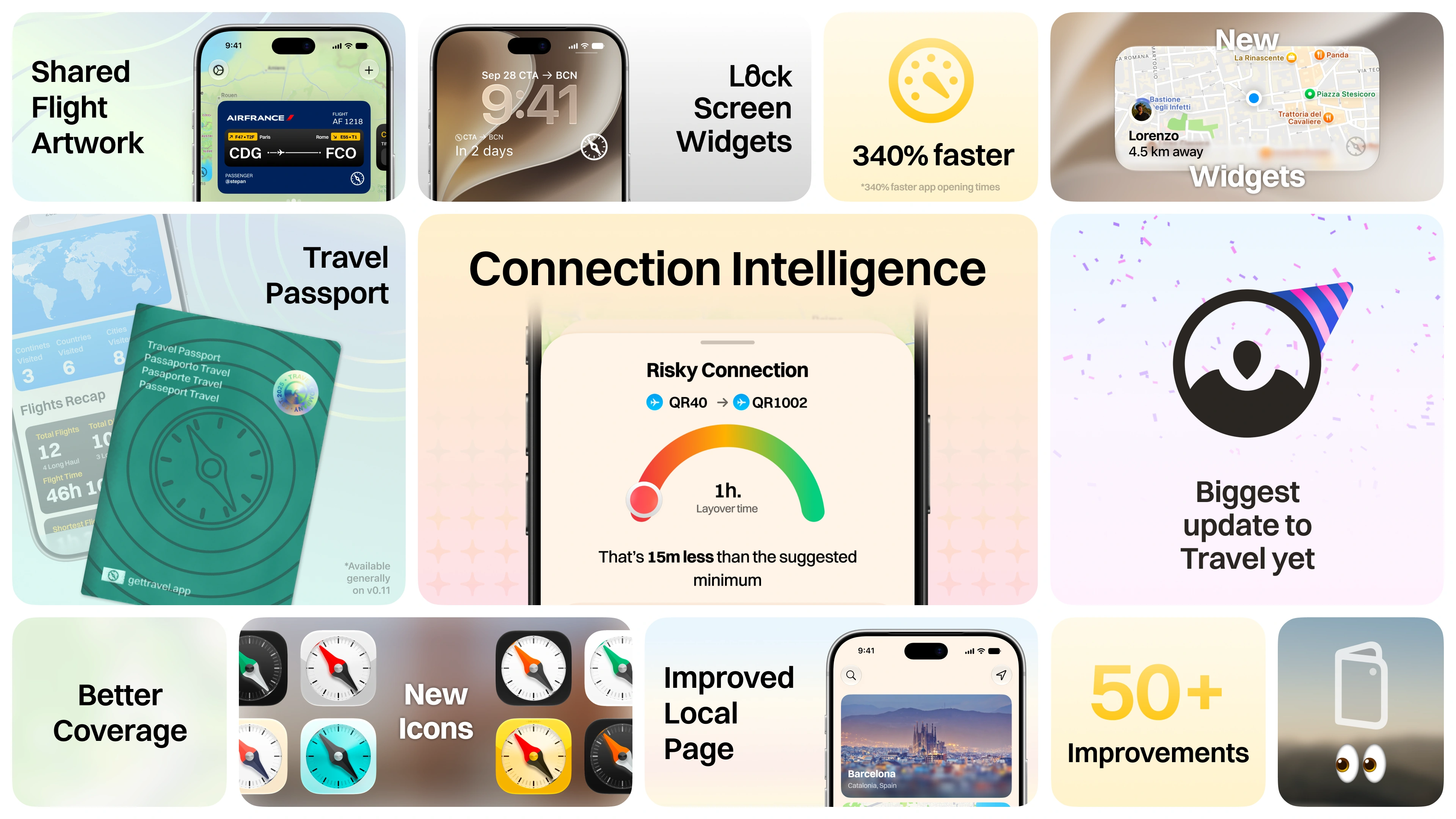
To celebrate, we’re shipping our BIGGEST UPDATE YET (and we’ll also get more testers in). Here’s what’s in it, what we learned building it, and a small peek at what’s next.
What a year taught us
The easy part of a travel app is the final demo but when someone is actually using it what they care about is the moment the flight turns into a connection, when two bookings turn out to be separate tickets, when your train changes platform or when you land somewhere new and the only question left is: now what?
That’s where most of this year went. Getting Trips, Tickets, Local and Friends to understand the same journey, so a change in one place shows up everywhere you’d expect. And making the app work when you’re tired, rushing, and down to one bar of signal.
A lot of that work is invisible: saving things properly, not asking for the same data twice, not showing old info as if it’s live. You’ll probably never notice it, which is kind of the point.
It’s also why testers matter so much to us. A screenshot shows what a screen looks like. You taking Travel on an actual trip shows whether it works.
The anniversary update
This update is about connecting the whole journey, from planning the trip to arriving and figuring out the city. So that’s the order we’ll go in.
Plan: trips that keep up with you
Trips rarely stay simple. You add a second flight, switch airports, or realise two saved journeys are actually the same trip.
One itinerary can now hold multiple flights, and the map keeps the shape of the whole route. Merging trips is a lot smarter than the basic version we had before. If the trip is shared, Travel asks first, because it changes what everyone else sees.
Flight search is more forgiving too. Partial flight numbers and typos are fine now, so you spend less time fixing the search box and more time finding your flight.
We also fixed a bunch of annoying edge cases: edits getting lost during a short outage, finished trips un-finishing themselves, routes forgetting where they started…
Connect: Connection Intelligence
“You have 90 minutes” doesn’t tell you much. What matters is what you actually have to do in those 90 minutes. Collect your bag? Go through passport control? Change terminals? Check in again? Security before the next gate?
Connection Intelligence turns all of that into steps you can just follow. It looks at your tickets, baggage, passport, the airport and your transfer time. A through-ticket and a self-transfer can look identical on a map and be completely different on the ground, so they’re treated differently.
The arc tells you at a glance if it’s tight or comfortable. The steps underneath explain why, with links to the sources. And when something’s unknown, it says so instead of guessing (and shows a score of how sure it is of that). Hand luggage only doesn’t automatically mean you can stay airside. A delayed flight with no new arrival time doesn’t have a reliable connection window. That uncertainty is part of the answer.
Change your trip details and the guidance updates. Change nothing and it reuses what it already worked out, so you’re not waiting for it twice.
We put it through 21 tricky journey scenarios: separate tickets, checked bags, missing boarding passes, delays and incomplete info. Real trips will teach us the rest when you test it…
Go: from “leave now” to “you’ve arrived”
Travel should still be useful after you close it.
Live Activities now show more on your Lock Screen and Dynamic Island: gates and baggage for flights, progress and upcoming stops for transit, and when you’ve arrived. Just the next thing you need, at a glance.
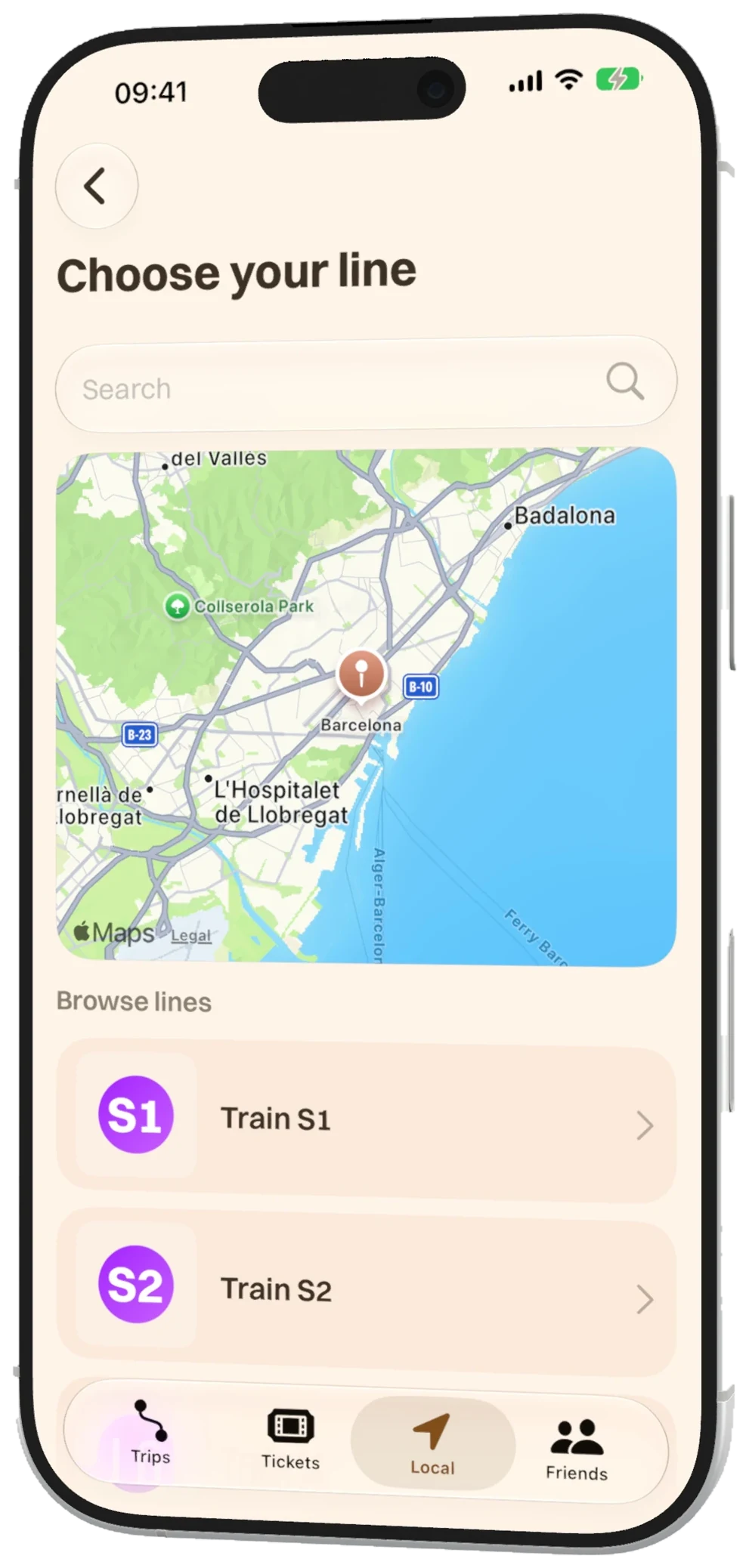
Commutes are more flexible too. Compare routes, save your preferences, check station timetables, and see service alerts when the operator provides them. In Barcelona you’ll also get nearby bikes and cycling directions for the first or last bit of the trip.
When live data drops, a saved timetable is still useful. An old prediction pretending to be live isn’t, so Travel doesn’t do that anymore. Routes, stop progress and finished journeys stay consistent through all of it.
On your Lock Screen and Home Screen
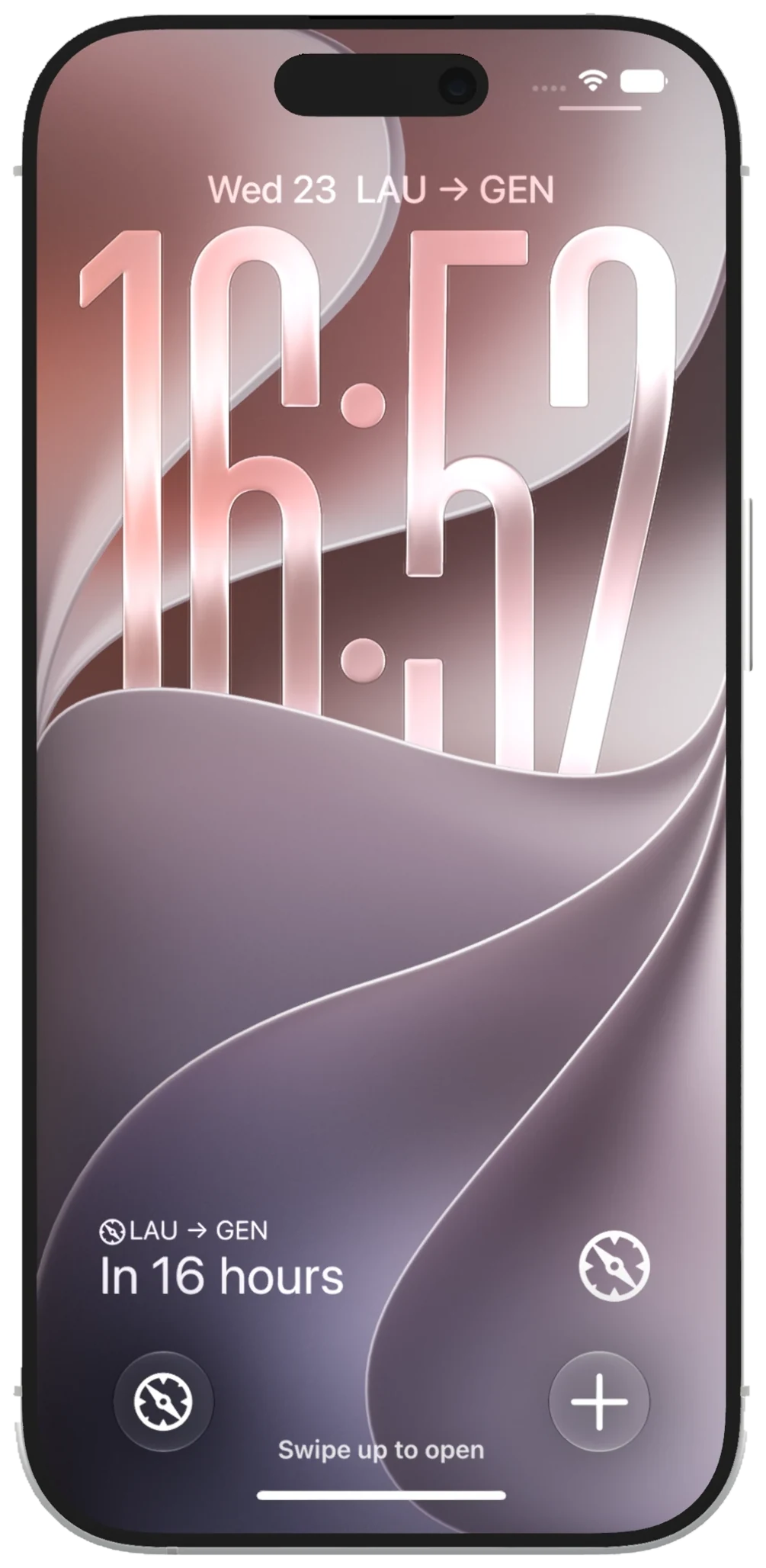
Your next trip should be there before you even unlock your phone. The rectangular Lock Screen widget shows your route with a countdown. The line above the clock keeps it short. The round one is the Travel compass, with shortcuts to Trips or Add Trip.
There’s also a new Home Screen widget for a friend who shares their location with you, so you can see where they are and how far away at a glance.
Small things, but they put Travel right where you need it.
Ride: more cities, clearer transit
We’re going way beyond Barcelona: more of Spain, a bunch of Italian cities and regions, the New York subway, and Helsinki. Some networks come with live info, others with timetables that are clearly labelled as timetables. The full list is further down.
The flow is the same one you know: pick a line, see its stations, choose your actual train and your stops, then follow along. A lot of the work went into matching live updates to the right train, handling overnight services, and showing the whole timetable for the day you picked.
Coverage depends on the operator. If we can’t get a live update we trust, Travel tells you it’s showing the schedule. We’ll confirm the final list of networks in the tester release notes.
And live transit stays free.
Arrive: let people know you made it
We’re adding automatic arrival updates for the friends you choose.
Turn it on for a trip and pick who gets it. For flights, it’s based on when your last flight lands. For everything else, it uses your phone’s location when you reach the destination (so it needs location permission and background access).
We keep those two separate on purpose, because “the plane landed” and “your phone says you’re there” aren’t the same thing. Updates show up in Friends and you decide who gets them.
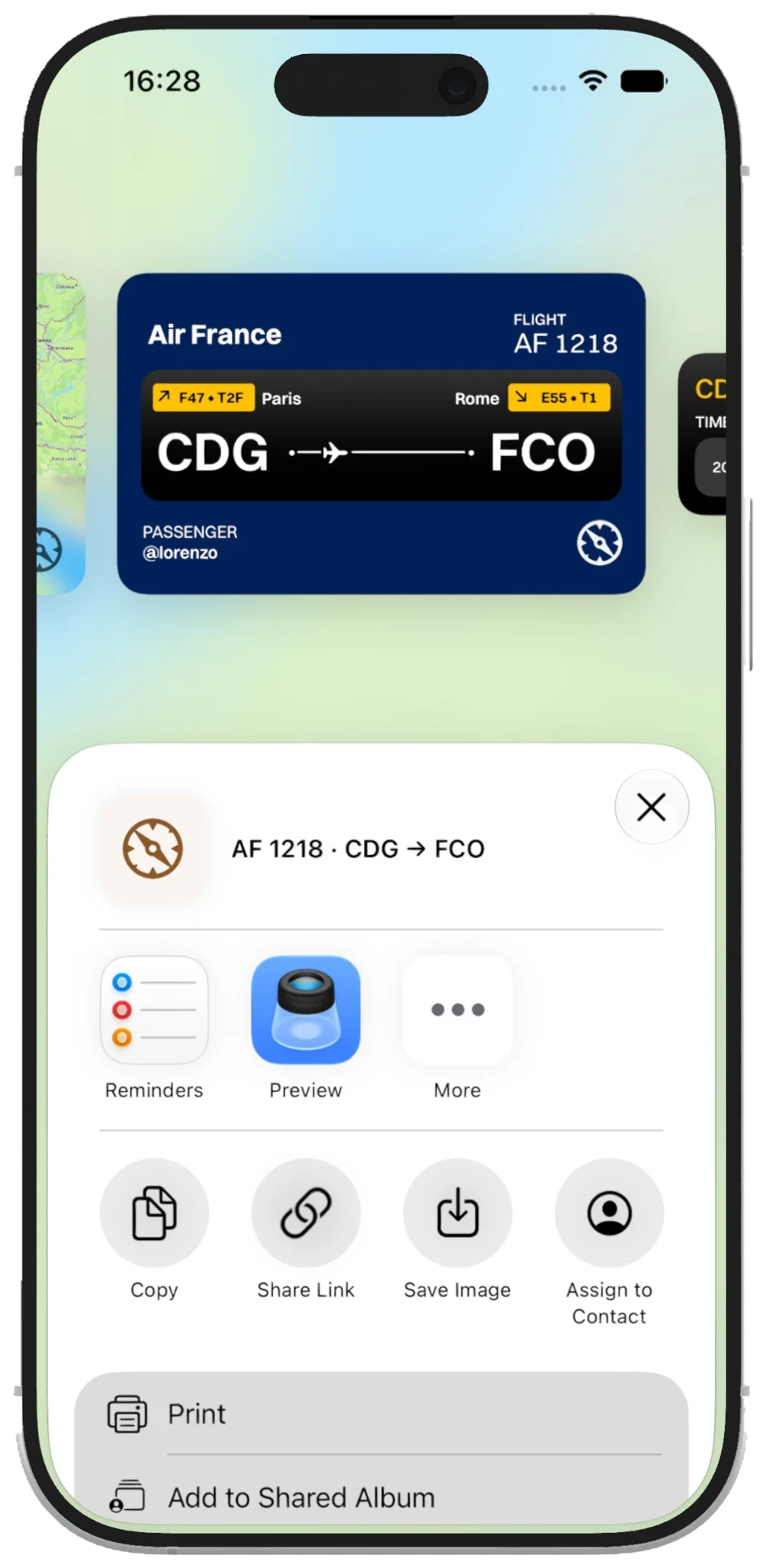
Sharing a flight looks a lot better now too. Swipe between a ticket-style card, a route map or a status card, then send it with the normal iPhone share sheet.
Much nicer than sending a screenshot of the whole app.
Explore: a better Local
Local is getting better for those moments when you don’t really know what you’re looking for yet.
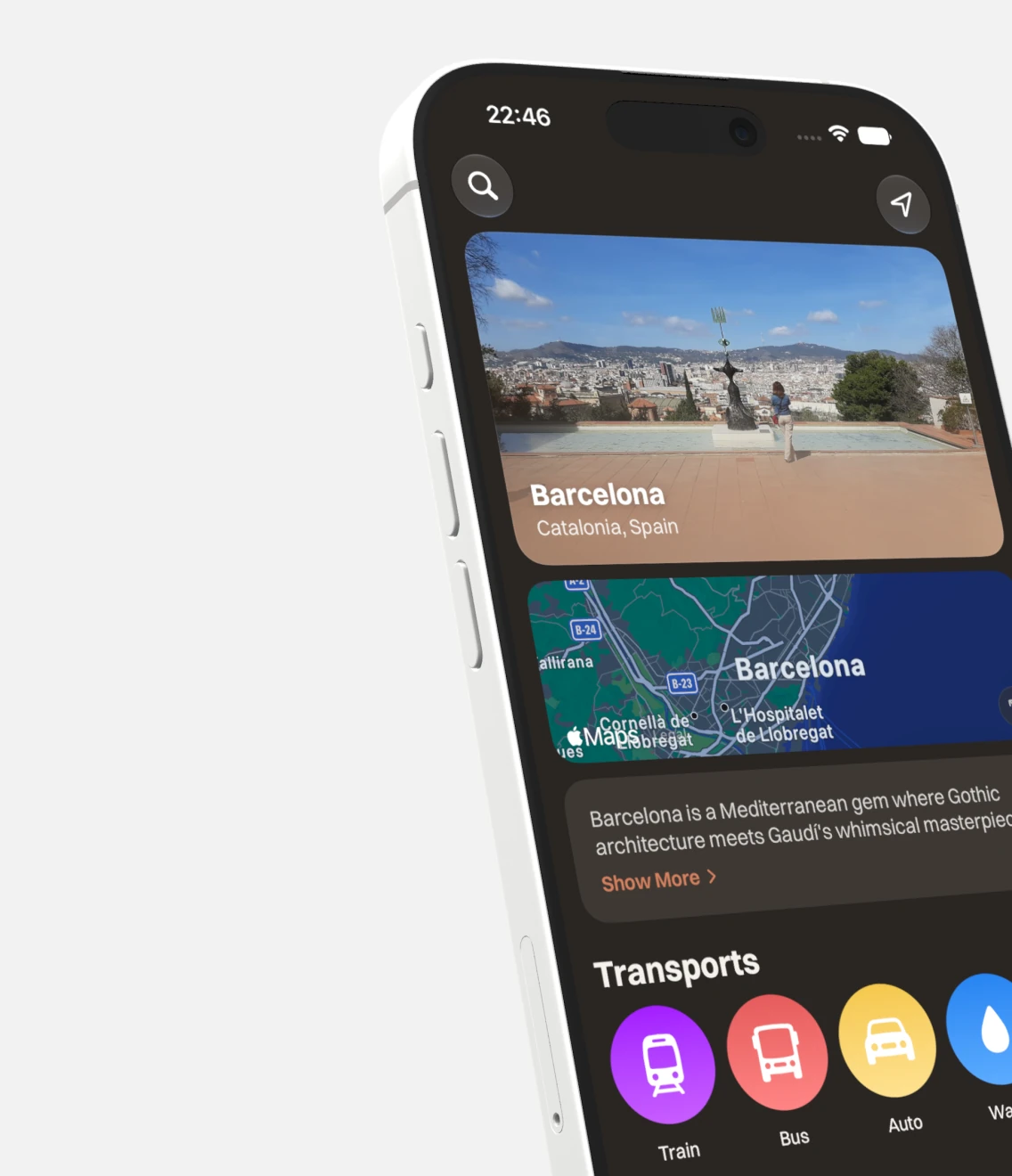
City search understands aliases, international names, small typos and airport codes, and it won’t mix up cities with similar names. Once you pick a city, search and distance filters stick to it.
You can describe the kind of place you want, or just say it, and tweak the search before sending. City pages load bit by bit, so the useful stuff shows up right away, and refreshing doesn’t wipe what’s already on screen.
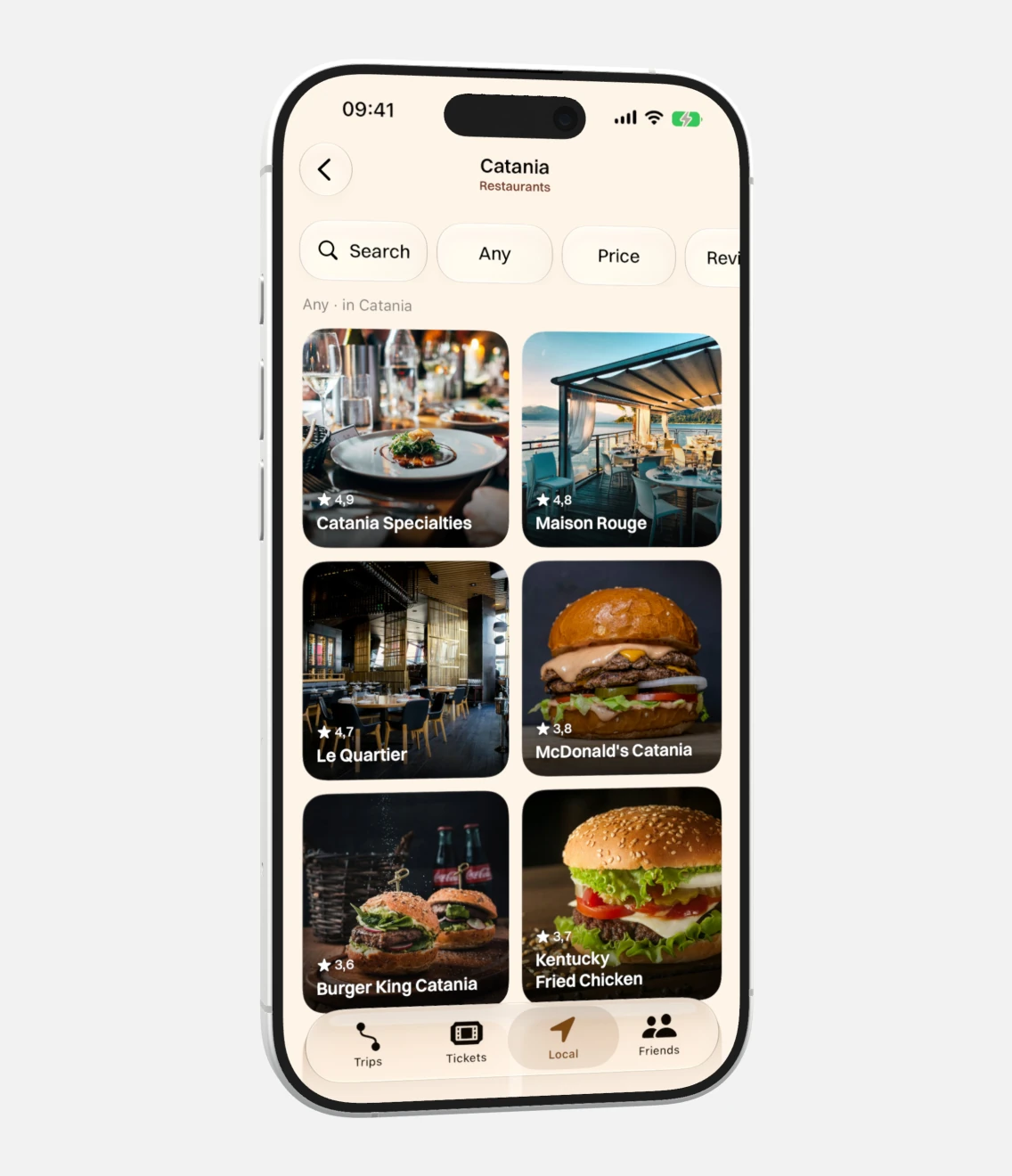
Saved Essentials and self-guided city guides give exploring a bit more structure. Each guide shows how long it takes, the distance, the effort and the number of stops, so you know what you’re signing up for. Save it for later or share it with whoever you’re travelling with.
We also polished city headers, image loading, place details and prices (where we have the data).
The small stuff
Ticket scanning is more reliable, older passes are labelled more clearly, and opening a few passes at once won’t mess with your screen brightness anymore. Appearance follows your system setting, with clearer Light and Dark previews.
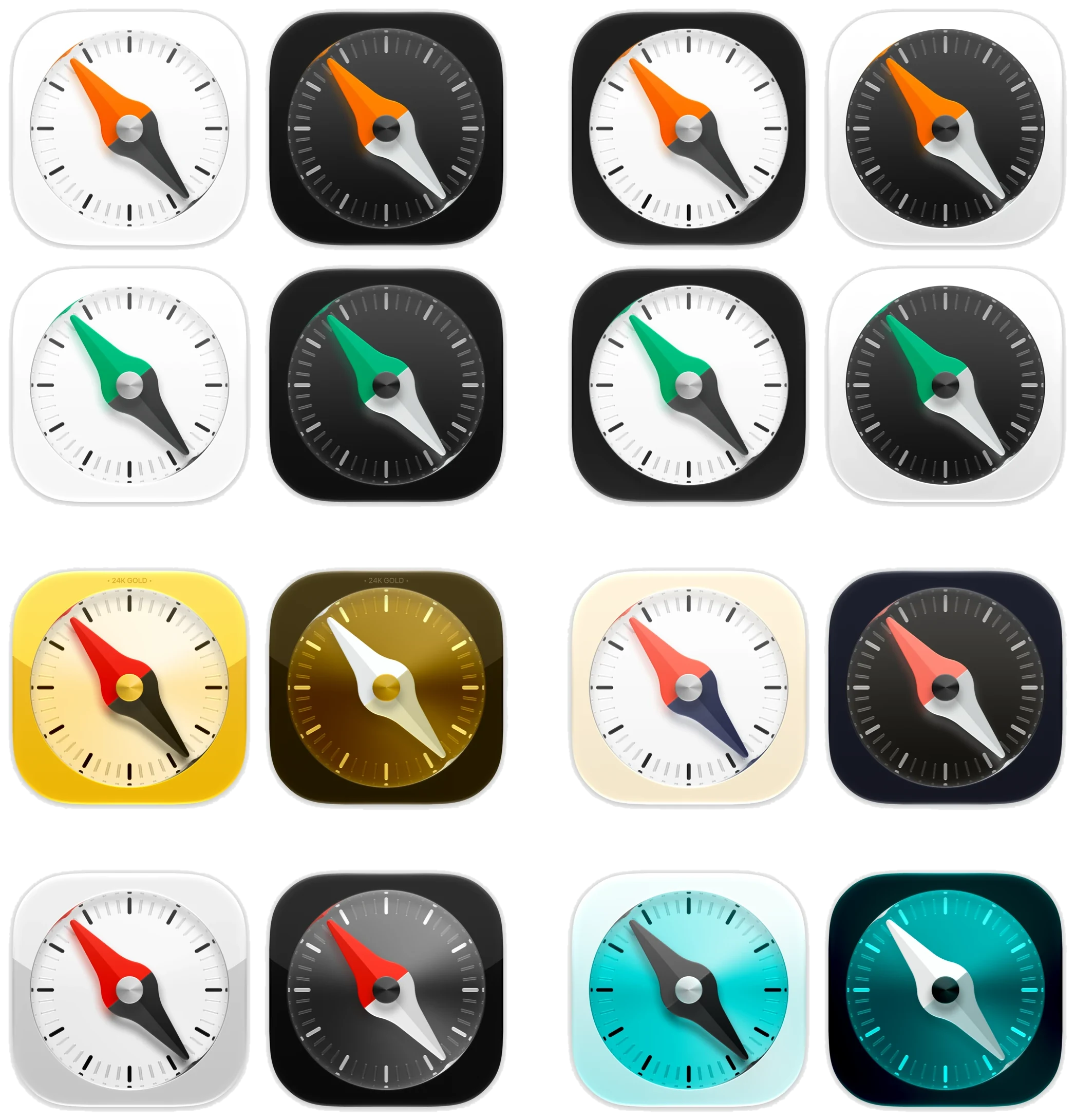
And yes, more app icons. We stare at Travel all day, so you should be able to make that little square on your Home Screen yours.
Across the app we’ve tweaked motion, spacing, navigation, and how things recover when something breaks. Each change is tiny. Together you feel them.
Under the hood
Some of the best changes don’t make for a nice screenshot.
Travel does a lot less duplicate work now. Saved trips, images and city photos load once instead of twice, the Friends list shows up without waiting on trip details, and the map stays usable while your trip is still loading.
Two things we measured: opening Travel is about 340% faster, and loading the bundled transit data takes about 54% less time.
We’re not done here. Making Travel feel fast on real phones and real connections is next, and we’ll keep measuring it.
Everything else in this update
There’s a lot more. If you like the details, here’s the full list.
Transit coverage
- Barcelona and around: more FGC and TMB work, AMB buses, Rodalies, wider Catalonia timetables, and AMBici bike availability.
- Across Spain: regional schedules (including Moveuskadi), a bigger Renfe Cercanías catalogue, plus national AVE, long-distance and medium-distance schedules.
- More regional Spain: Madrid, Pamplona, the Basque Country, Andalusia, the Valencian region and Murcia. Bus, rail, metro and tram where the operator feeds cover your trip. Not live tracking on every line.
- South Tyrol / Bolzano: timetables, plus live info for your exact train when the provider has a fresh match.
- Milan: ATM metro, tram and bus timetables.
- Trentino: urban and extraurban timetables, including rail and cable cars.
- Bologna and Ferrara: TPER bus timetables.
- Catania: AMTS bus timetables.
- New York: MTA subway schedules and matching service updates.
- Helsinki: HSL schedules and matching live info.
- Milan, Trentino, Bologna, Ferrara and Catania are timetables only. Live info elsewhere only shows up when we can match it to the right service and it’s fresh enough to trust. Final availability depends on release checks.
Catching the right train
- Full-day timetables, including overnight services that belong to the previous day.
- The whole line, with stations across city borders, clearer operator info and station search.
- Your stops, picked from the stops your train actually serves.
- More route options: compare, swipe between them, and start a point-to-point trip from Local.
- Disruptions: official service notices show up next to your route. FGC planning can account for service cuts and replacement connections.
- Local time: timetables use the network’s timezone, even if your phone is somewhere else.
- Saved trains: reopening a tracked trip keeps its stops, train and service day.
- Clearer live status: old predictions fall back to the official schedule, and unknown platforms or missing arrival times don’t clutter the screen.
- Better route maps: clearer line colours, multimodal paths, station markers, and your stops stay selected as you zoom.
- Less background activity: live feeds only update when you have an active journey.
Planning, flights and tickets
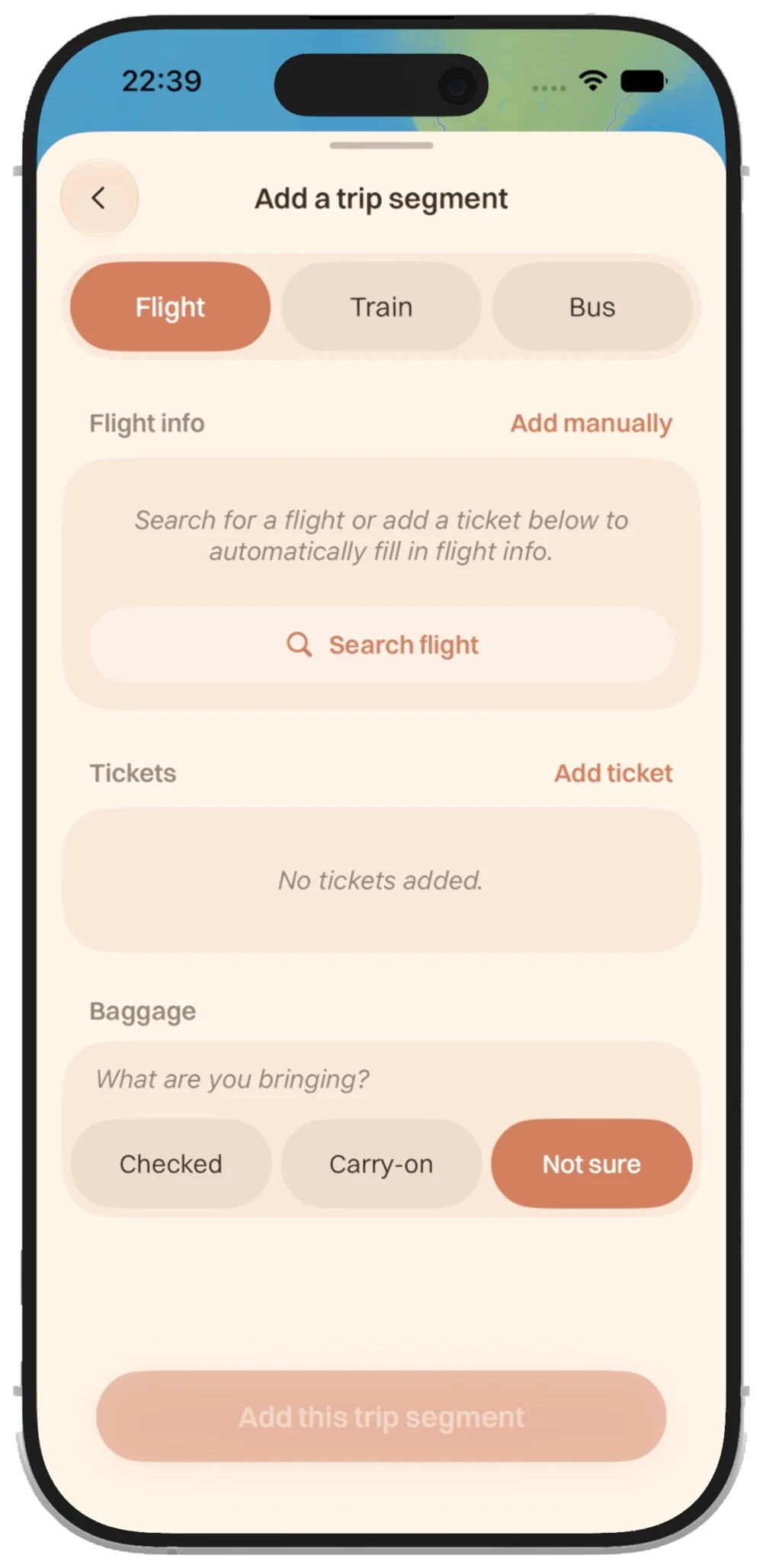
- Simpler Add Trip and snappier main actions.
- Better flight search: suggestions, partial flight numbers, and a way back when the first search misses.
- Connection suggestions after you add a flight.
- Safer trip merging: shared trips ask first, and interrupted merges recover.
- The whole route on the map, even with several segments of the same type.
- Departure reminders after you create a trip, when the timing makes sense.
- Travel document preferences: your passport and ID country can be reused in connection guidance.
- Baggage per flight, so different legs can have different baggage.
- Editable connection details that refresh the guidance.
- Clearer flight status: important notices first, baggage info up top when you land.
- Ticket scan recovery with clearer, accessible prompts.
- Pass brightness fixed when opening more than one pass.
- Better airline names and branding on tickets and shared flight cards.
- Sturdier saved trips: queued edits, restored transit routes and finished trips survive interruptions.
Local
- Find cities more ways: international names, aliases, airport codes and small typos.
- The right city: similar names stay separate, and neighbourhoods resolve to their city.
- Search that stays put: place searches and distance filters follow the city you picked.
- Natural-language and voice search, then tweak it before sending.
- Broader nearby search without needing an exact venue name.
- Apple Maps fallback when place search needs a hand, with a clear note.
- Faster place details: useful info shows before every photo loads.
- Clearer prices and ratings, and missing ratings no longer look like real scores.
- More reliable images: no blank headers, and no borrowing a nearby city’s photo.
- Guides worth saving: saved Essentials, shareable self-guided routes, and clearer duration, distance, stops and effort.
- Refresh without starting over: city info, images and cached details stay while new content loads.
Friends, sharing and everyday details
- Arrival controls per trip, with clearer explanations when location access is needed.
- Arrival inbox in Friends: recent and older updates, and notifications open the right one.
- Your choices respected: blocking, muting, revoked sharing and account changes are checked before any arrival update goes out.
- Share artwork that recovers if an upload gets interrupted.
- Better shared maps for long routes, polar routes and routes across the date line.
- Native sharing on iPhone and iPad, with accessible share and dismiss buttons.
- More icons: modern and OG variants, adaptive looks, and free Orange, Green and TestFlight options.
- Appearance that follows your system Light and Dark setting.
- Smoother motion across trip cards, panels, menus and buttons.
- Less repeated loading for trips, images, city photos and the Friends list.
- A map you can use right away while your trip loads.
- Better offline recovery, plus clearer error info so we can fix the remaining rough edges.
There are still rough edges to work through. But this is a big step towards the whole app feeling as good as its best screens.
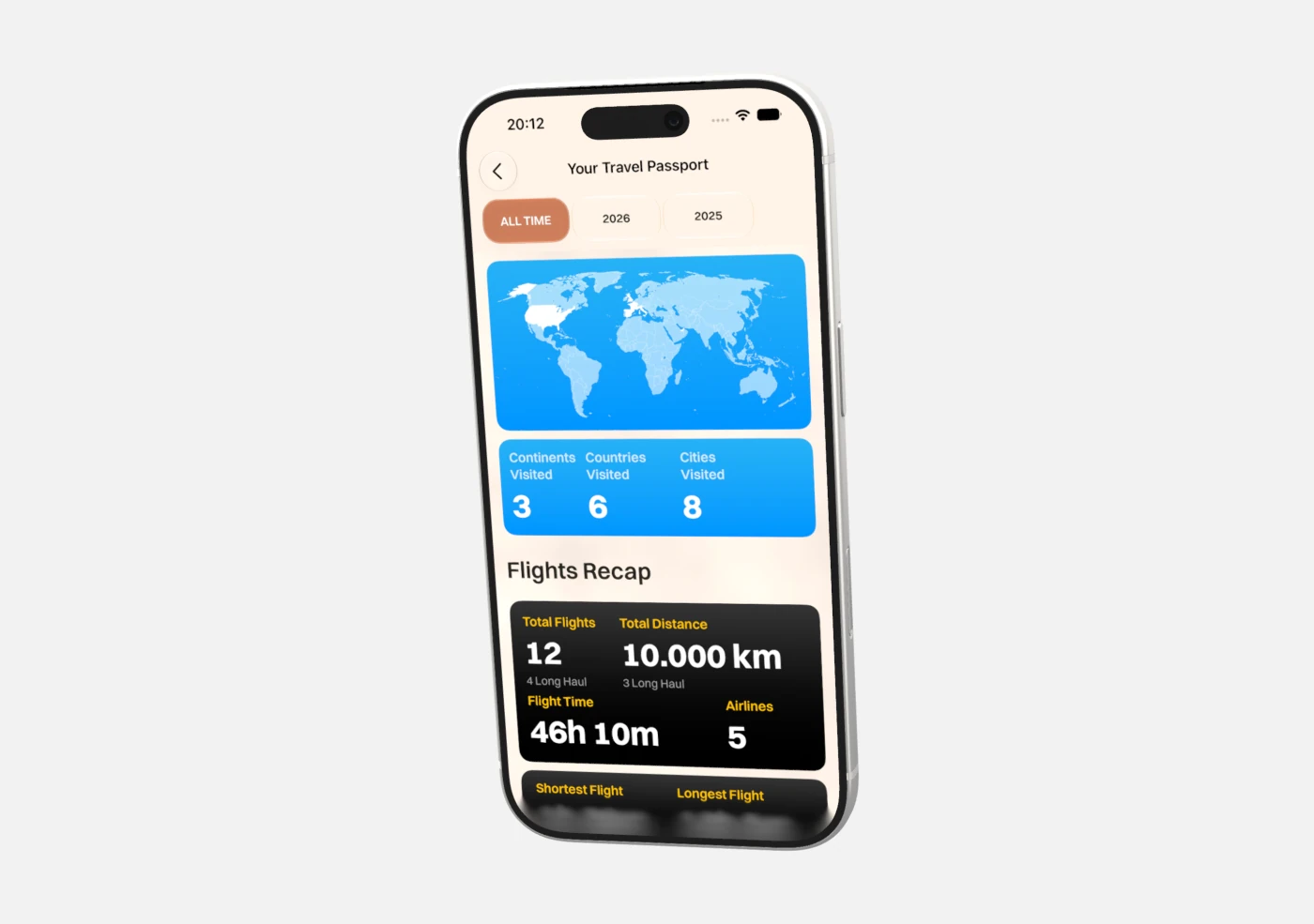
Travel Passport
A way to look back at the trips you’ve taken, with stats, achievements and a recap worth keeping. Your travel history deserves a more personal place in the app. It’s still early, and we’ll share more as it comes together.
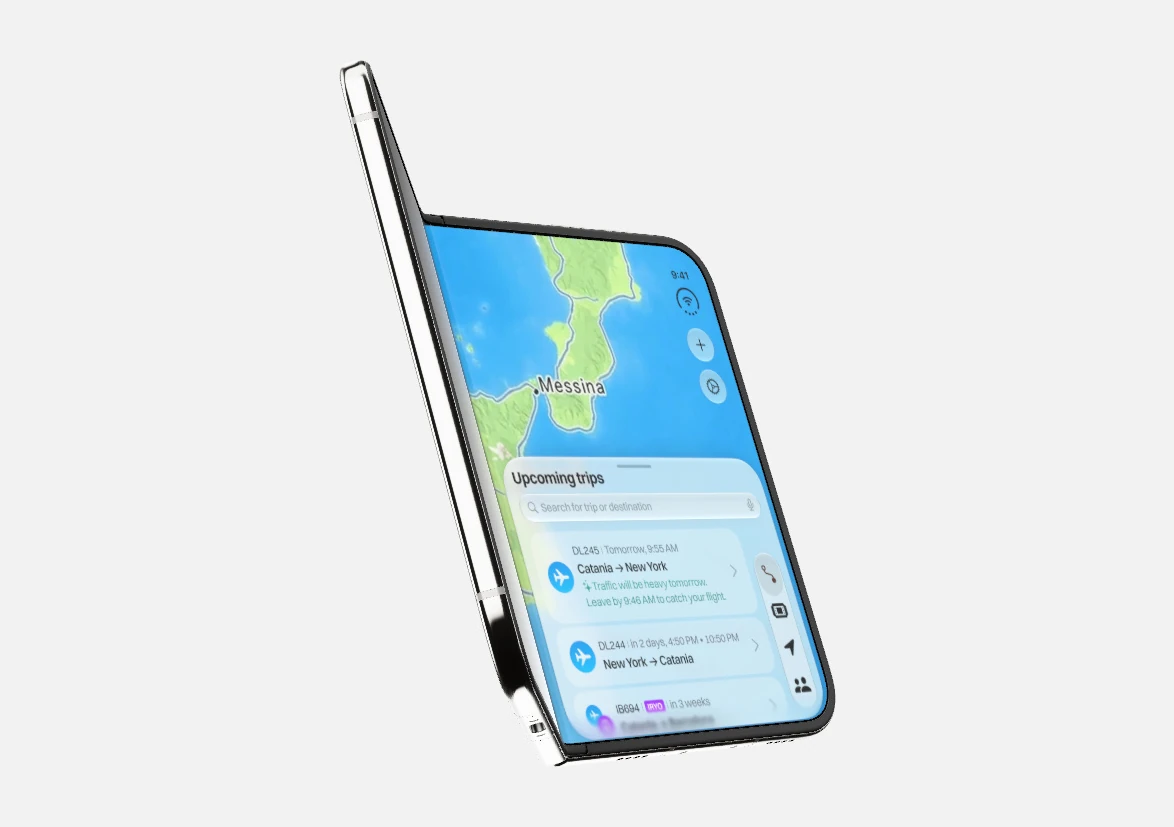
iPhone Duo
We’ve been playing with what Travel could look like with more room, the map and your journey side by side. It’s a chance to rethink how everything fits together when the screen opens up.
Merch!
We’re sending some Travel merch to testers and waitlist members soon. It’s a small way to celebrate year one with the people who’ve been here while we build. We’ll share more about what it is and how it gets to you soon.
Thank you
To our testers: thanks for putting an unfinished app on your phone. To everyone on the waitlist, sharing Travel with friends, or just following along: thanks for giving this idea your time.
Every bug report, question and story about a real trip helps us figure out what to build next.
If you’re testing, grab the anniversary build, try the whole journey, and send us feedback through TestFlight. If you’re on the waitlist, we’re getting closer to a wider release and we’ll keep you posted. And if you just found us, good timing.
Here’s to year two.
Stepan, Lorenzo & the Travel team